
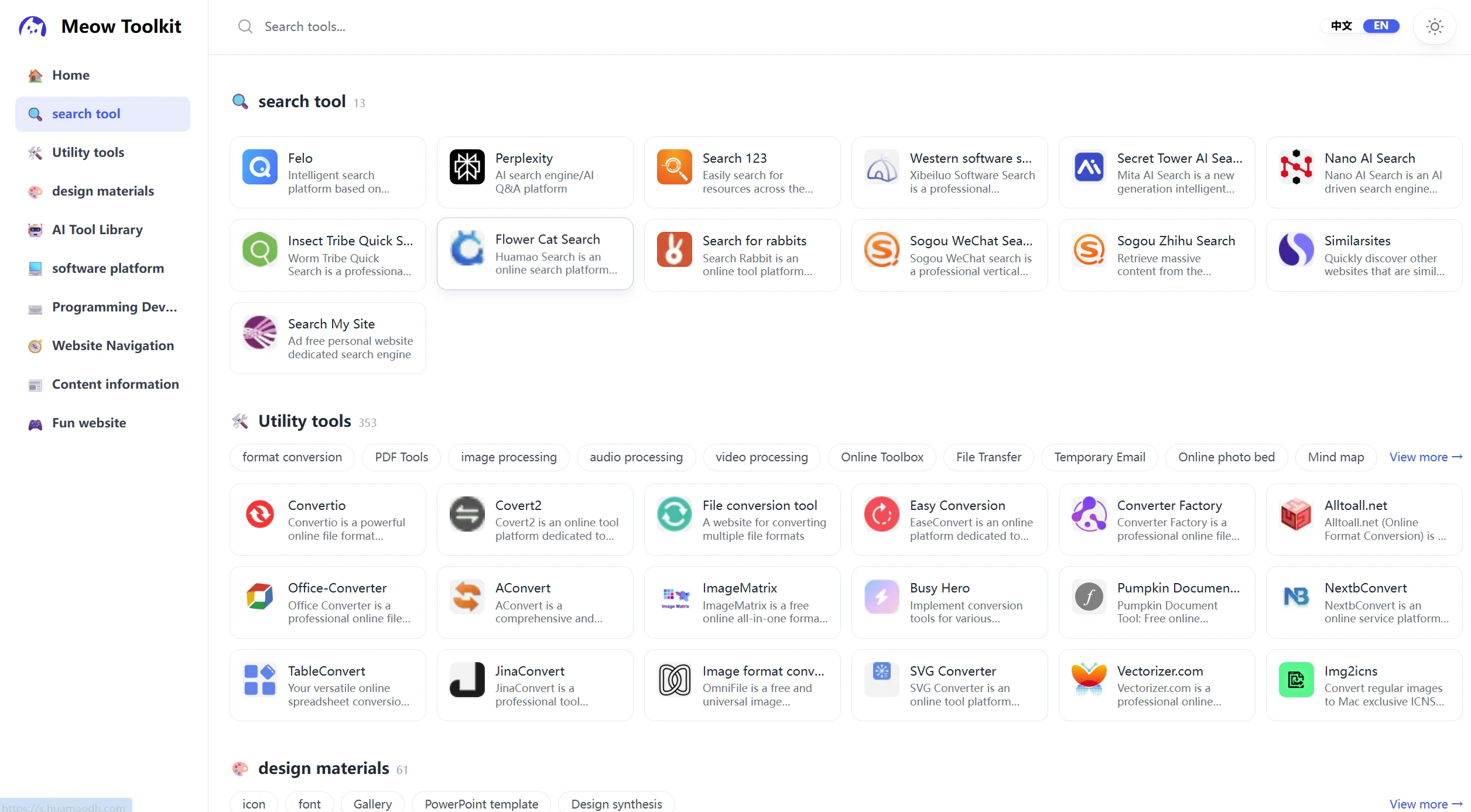
MiaoNav It is a "curated tool website navigation page" generated with a single click from browser bookmarks. It supports categorized tile layouts, tag-based filtering, dark mode, and bilingual (Chinese and English) support, and comes with a desktop visual editor.
It is important to note that,MiaoNav is not a project developed from scratch, but rather a modification of the open-source project Pintree.. It is a fork of the Pintree repository's pintree-old-pages branch, and based on it, we developed a set of product-oriented modifications tailored for Chinese users.
- Project Address:https://github.com/cheng01315/miaonav/
-
Online Demo:https://www.meowtool.com/miaonav/
-
No English version of this page:https://github.com/cheng01315/miaonav/tree/v1.01_miaonav
-
Forked from / Modified from Pintree:https://github.com/Pintree-io/pintree/tree/pintree-old-pages
Key Features and Functions
Navigation Page
-
Bilingual (Chinese and English): Provides
index.html和en.htmlTwo canonical pages with a one-click switch in the upper-right corner, including canonical and hreflang declarations. -
Category-Based Layout on the Home Page: The 9 main categories are displayed using emoji icons along with the number of sites in each category; the sidebar highlights as the user scrolls (scroll-spy), and automatically positions the cursor on the current category when browsing long lists.
-
Tag-Based Filters: Supports second-level tags and expandable third-level tags. By default, each block displays a preview of 18 sites; to view additional sites, users can click “View More” to access the details page, which includes a breadcrumb trail and recursive grouping.
-
Search Function: The website title and description are displayed simultaneously; the mobile version features a sticky search bar and a two-column card layout.
-
Dark Mode: Persist preferences to
localStorage, no flickering when switching between languages. -
Icon Localization: All site icons are stored in
assets/logo/Table of Contents: If loading fails, automatically fall back to the default placeholder image.
Visual Management Tools
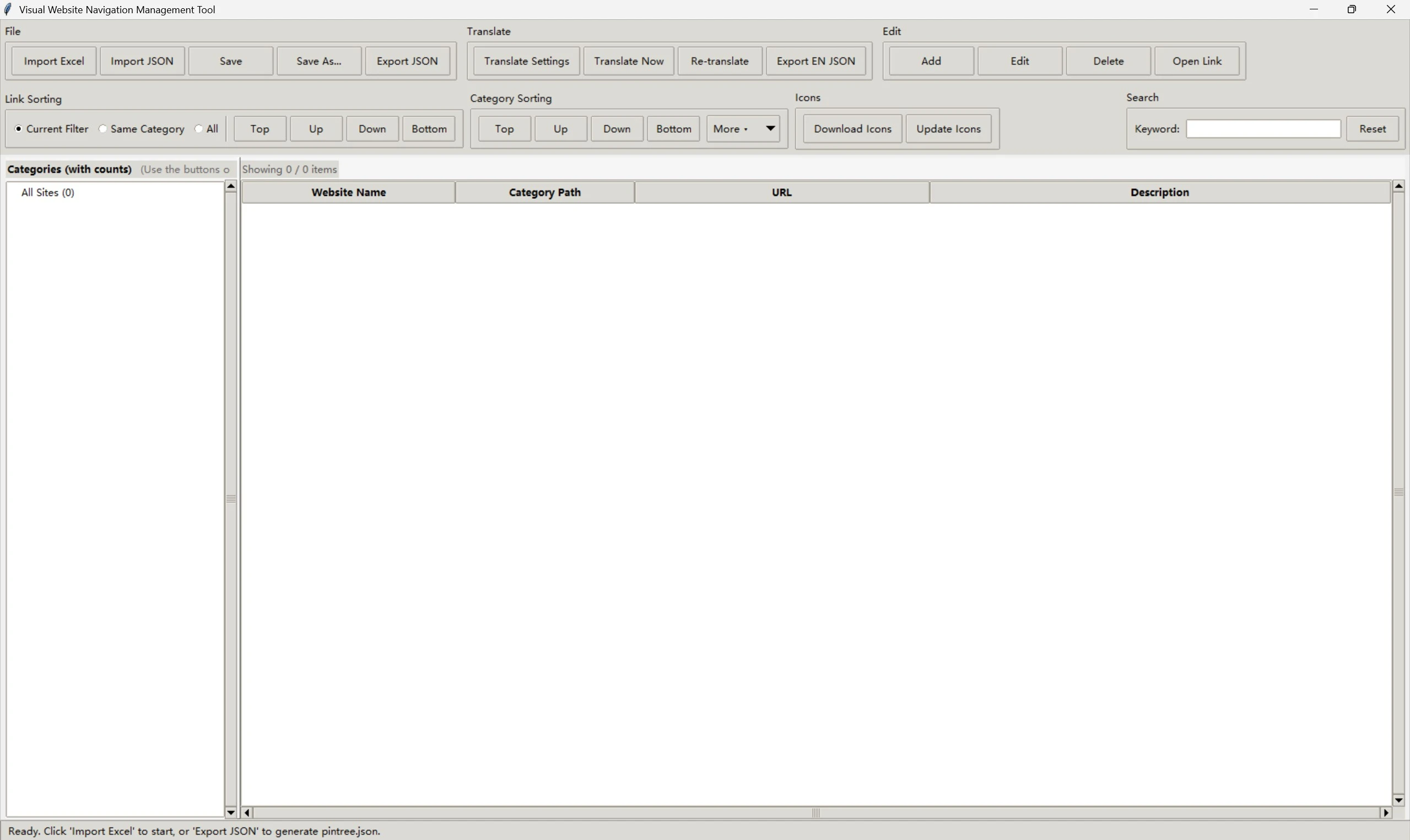
MiaoNav's most distinctive feature is its accompanyingChinese Desktop Visual Editing Tool(Website navigation tool/Website navigation tool.py)、English Desktop Visual Editor (Website Navigation Tool EN.py). This tool builds on Pintree’s existing data model and allows you to manage navigation data in bulk without installing a browser extension or manually writing JSON.
-
Import/Export: Supports importing and exporting Excel files (
.xlsx) and JSON files, as well as tabular CRUD operations and sorting. -
One-Click Export: Generate a file that conforms to the Pintree structure
pintree.json, automatically downloads favicons from multiple sources and converts them all to PNG. -
Categories, Emojis, Settings: Visualize emoji settings in the right-click menu and include them in the JSON file when exporting.
-
Built-in Translation: Integrates with Baidu / Tencent Translation and supports incremental translation generation
pintree.en.json, Place the pieces on the board as you flip them; if interrupted, you can resume flipping. - Download Website Icons:Supports downloading website icons via multiple API channels
To run the tool, you must install the following dependencies:pip install openpyxl requests pillow。
As a modified version of Pintree, the main changes in MiaoNav are
| Dimension | Original Pintree | MiaoNav |
|---|---|---|
| Data Editing Methods | You'll need to install a Chrome extension to export the JSON, then manually replace it. | Provides a desktop GUI editing tool that allows you to import Excel and JSON files and visualize, add, delete, and modify data. |
| Icon Retrieval | Relying on a remote favicon link | Built-in multi-source favicon download service that automatically localizes and converts to PNG |
| Home Page Layout | Folder Card Grid / Bookmark List | Category blocks arranged in a grid, with each category featuring an emoji icon and a count |
| Filtering Interactions | Virtually none | Second-level tags + expandable third-level linked tags, with previews of the first 18 entries and a "View More" link |
| Navigation Experience | Standard Sidebar | scroll-spy: Scroll-triggered highlighting, detail pages with breadcrumbs and recursive grouping |
| Data Fields | Title / Link / Icon | Additional support for the "description" field |
| Branding and Visual Identity | General-Purpose Pintree Skin | Brand-new brand “Meowtool,” featuring customizable logos, favicons, and OG share images |
| SEO / Compliance | Basic meta | Optimize canonical, Open Graph, and Twitter Card tags |
Quick Start
Local Preview
Since the page is loaded via fetch To read JSON data, you need to open it using a local HTTP service; you cannot simply double-click the HTML file:
python -m http.server 8000
# Chinese Page http://localhost:8000/index.html
# English Page http://localhost:8000/en.html
Using Desktop Editing Tools
pip install openpyxl, requests, pillow
python "Website navigation tool/Website navigation tool.py"
Import Existing json/pintree.json You can edit the file in Excel, click "Export JSON" to generate the data file, and then refresh the page for the changes to take effect.
Deployment
MiaoNav is a purely static site; simply upload the entire directory to any static hosting service. All local resources use relative paths, so it will work properly whether deployed in the root directory or any subdirectory.
Project Structure
miaonav/
├── index.html # Chinese navigation page
├── en.html # English navigation page
├── css/
│   ├── styles.css # Custom styles (.mn-* series + mobile adaptation)
│   └── tailwind.css # Tailwind build output
├── json/
│   ├── pintree.json # Chinese Navigation Data
│   └── pintree.en.json     # English Navigation Data
├── assets/
│   ├── logo.svg # Site Logo
│   ├── og.webp # Social sharing image
│   ├── favicon/ # Site favicon
│   └── logo/ # Icons for various websites (local PNGs)
└ ── Website navigation tool/
    ├── Website navigation tool.py # Desktop visual editing tool (Tkinter, Chinese interface)
    ├── Website navigation tool EN.py # Desktop visual editing tool (Tkinter, English interface)
    ├── translation.py # Baidu / Tencent translation API wrappers
    └── _translation_cache.json # Incremental translation cache (automatically generated at runtime)
Technology Stack
MiaoNav uses a pure front-end technology stack: HTML, CSS, and JavaScript; data is in JSON format; and it is deployed via static website hosting. The desktop editing tool is built using Python Tkinter and relies on openpyxl、requests、Pillow Wait for the library.