
GenOffice is an AI-native office suite open-sourced by the GenSpark AI team on August 3, 2026; the developers officially position it as an alternative to Microsoft Office. It can directly open and save native office files such as docx, xlsx, and pptx, and also supports editing PDFs, Markdown, and HTML.
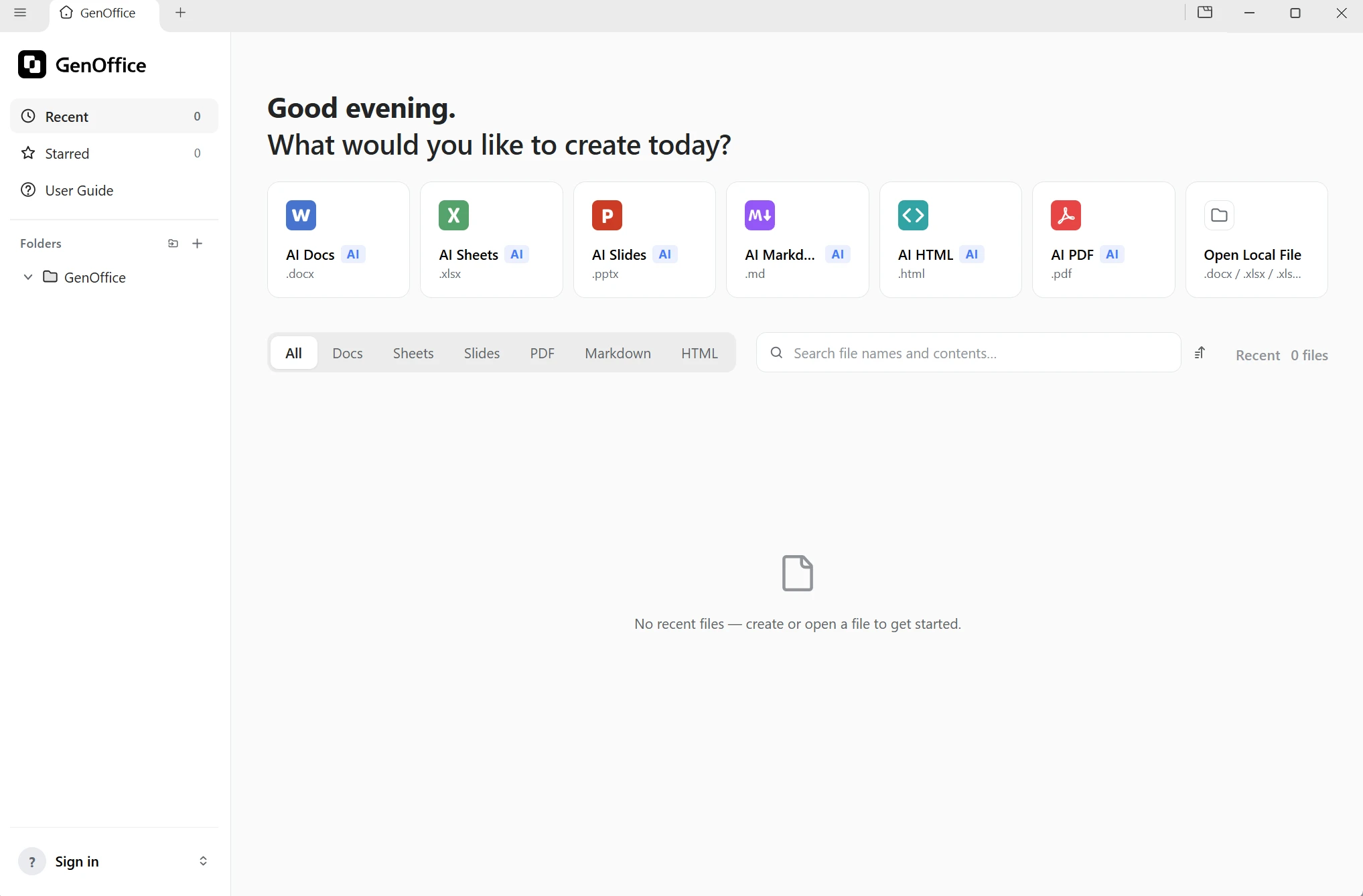
While many open-source office tools tout "free" as their biggest selling point, what truly sets GenOffice apart is its unique product philosophy. Traditional office software treats AI as an add-on, where the AI can only observe the content of your documents; GenOffice integrates an AI agent as a core module within the software itself. It can fully read the documents you’re working on, directly edit the content, and clearly mark the location of every change. As one content creator put it: “You’re not just using ordinary office software—you have a hard-working colleague living right inside your documents.”
Background of Its Creation
The story behind this project’s creation has sparked a lot of discussion. The initial version was developed by a single engineer in about a week, with much of the code generated with the help of AI. In the past, to build an office suite of this scale, a company would have had to assemble a massive development team and spend several years on the project. Videos circulating online jokingly refer to this as "seven days" worth of development in exchange for $10,000 in tokens”—while the figure is somewhat exaggerated, the message is clear: AI has drastically lowered the barrier to entry for developing office suites.
The project is licensed under a fully open-source license, allowing anyone to view the source code, modify it, or use it as a basis for further development. The software does not display ads, and the output files do not contain watermarks.
GitHub data reflects its popularity: it had about 3,600 stars in late August, rising to around 3,900 by the end of the month. Just five days after its release, it was averaging 314 stars per day, placing it among the top tier in terms of growth rate among similar AI productivity projects.
Six Major Components
The suite consists of six components, all of which share the same underlying engine: a word processor, a spreadsheet, a presentation program, a PDF editor, a Markdown editor, and the unified GenOffice Shell. All are built on Electron, with the code written entirely in TypeScript.
The choice of architecture is crucial. These six components are not six independent, simply pieced-together applications; the entire software suite shares a single core and provides six functional interfaces to users. As files flow between the various modules, the user experience remains consistent.
Each component has a clearly defined role. The word processor handles document creation and formatting; the spreadsheet is built on a mature open-source core and supports pivot tables, slicers, and conditional formatting, while also tracking formulas so you can see the source of each data point; the presentation tool lets you load templates, insert charts, crop images, and organize text; the PDF editor allows you to add notes, fill out forms, insert signatures, and reorder pages; the Markdown editor is designed for frequent document writers; and a unified shell brings all these features into a single software window, so you don’t need to open a new window when switching between functions.
Resolving Character Encoding Issues in Open-Source Software
File compatibility remains a major hurdle for many open-source office suites. When many free tools open third-party Word documents, the formatting becomes completely distorted—font positions shift, line spacing becomes irregular, and charts end up in the wrong places.
GenOffice has implemented a targeted design for this: it preserves the original file content to the greatest extent possible, modifying only the parts that the user has actually edited. The company refers to this standard as "byte-level preservation." When you open a .docx file and save it back, the original formatting remains intact; the same applies to .xlsx and .pptx files. The content of your original files remains entirely yours. For users who frequently exchange Office-format files with colleagues and clients, this capability determines whether the software can be used in their daily work.
AI Built-in Document Engine
AI capabilities are at the heart of this software, with AI panels built right into all six editors. Rather than being confined to a separate chat box on the side, the AI is embedded within the document itself, allowing you to directly manipulate the actual content of the document.
When you select a section of text for the AI to rewrite, it will only modify the selected portion without disrupting the rest of the document. The software saves a snapshot of every AI-made change, making the modifications easy to see at a glance, and you can undo them if you're not satisfied.
The software also features a more powerful super-intelligent agent that can gather information, process data, write complete documents, and generate entire sets of presentation slides. All you need to do is provide a topic, and it will outline the structure and draft the content page by page.
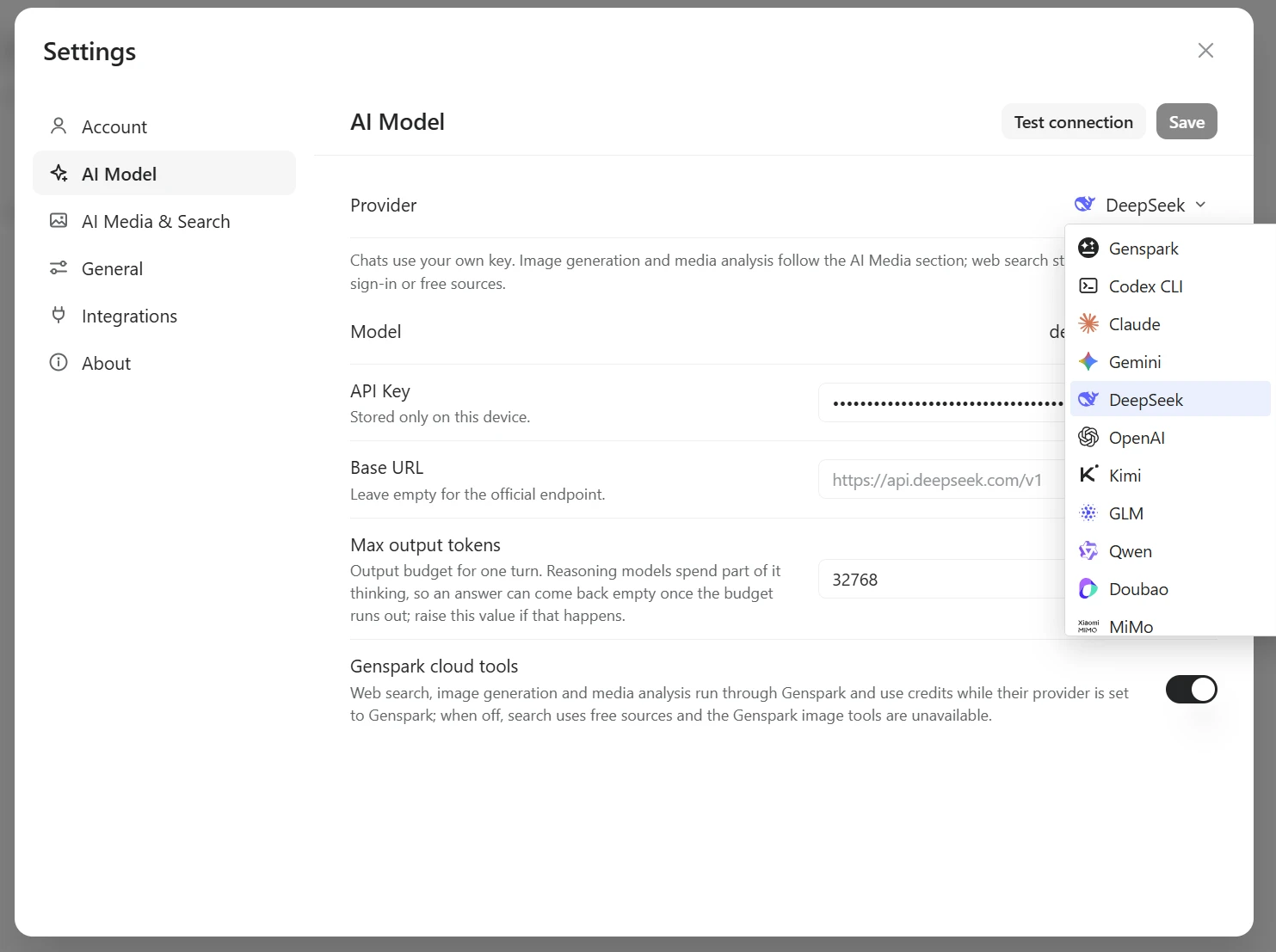
It is compatible with several mainstream large language models: DeepSeek, Claude, GPT, Gemini, and Kimi can all be integrated—simply enter the API key for the corresponding platform. You can also choose to use GenSpark’s own model service directly.
PDF Editing and Local Offline Conversion
PDF editing is a standout feature repeatedly highlighted in many hands-on videos. You can directly enter new text and edit images within PDF pages while preserving the original font styles; you can also reorder pages, add notes, fill out forms, and add electronic signatures.
There’s also a very useful local conversion feature: PDF-to-Word, PowerPoint, and Excel conversions are all performed on your local machine, and the file content isn’t uploaded to the cloud. For users who value data privacy, this feature is extremely valuable.
The Real Gap Between GenOffice and Mainstream Office Software
When you compare it to similar products on the market, its strengths and weaknesses become clear.
- Comparison with Microsoft Office / 365:Office continues to offer top-notch file compatibility and serves as the industry-standard format; complex macro scripts and high-end professional typesetting remain its areas of strength. GenOffice takes a different approach: it requires no annual subscription fee, the software itself is free, and it features native AI integration, so users don’t have to switch back and forth between office software and AI web pages. Rather than aiming to completely outclass its competitors, it focuses on optimizing the user experience for light- to medium-duty office tasks.
- Compared to WPS:WPS offers better localization and a vast selection of templates, but it displays pop-up ads and constantly prompts users to sign up for a membership. GenOffice’s biggest advantage is its clean interface: no ads, no watermarks, and all code is open-source and verifiable. People who are fed up with pop-ups and membership promotions will find this feature particularly appealing.
- Compared to other AI productivity tools on the market:Many products add an AI sidebar as a plug-in to traditional editors, resulting in two separate and disconnected systems. GenOffice directly embeds the AI agent into the editor’s core, allowing it to read entire documents, make edits, and record snapshots of changes. While also focusing on "AI + productivity," GenOffice prioritizes the depth of functional integration rather than simply piling on more features. It doesn’t aim to be the most comprehensive office suite; instead, it strives to be the one where the AI feels the least like an add-on.
Current Shortcomings and Limitations
Regular users should also be aware of a few existing limitations. Open-source does not mean that AI features can run entirely locally: while the editor itself is free, AI-related features rely on GenSpark’s cloud service, which requires account registration, consumes service credits (the platform provides a certain amount of free credit), and requires an internet connection—you cannot expect to run AI completely offline or privately.
The software is currently in the Alpha stage, with the version number at 0.10.x. As an early-stage product, it may have various minor issues, and the developers have advised users to manage their expectations.
When it was first released, it only supported newer Windows devices, but after an update in late August, it now supports Windows, macOS, and Linux. A mobile version has not yet been released.
Who It's For and Usage Recommendations
It’s best suited for this segment of the user base: light-to-moderate office users who typically view and edit documents, create simple PowerPoint presentations, and work with PDFs and Markdown—a single software solution that covers multiple needs; those who want AI-assisted writing and data processing without having to switch back and forth between windows; and individual users and small teams looking to save on Microsoft 365 subscription costs.
This software is not well-suited for heavy Office users. If you frequently use complex macros and advanced functions in your daily work or handle challenging formatting tasks, this software does not yet meet the required standards.
Project Address
- GitHub Repository: https://github.com/genspark-ai/genoffice
- Official Website: https://genoffice.ai/zh-cn/