
If you have some purely static web projects, you can easily deploy your site using GitHub, a free deployment platform. This method is particularly well-suited for websites generated by AI tools; once uploaded, these platforms will also generate a direct link to your project.
Step 1: Prepare the project files
Set up your website project folder, and be sure to name the website's home page file "index.html."
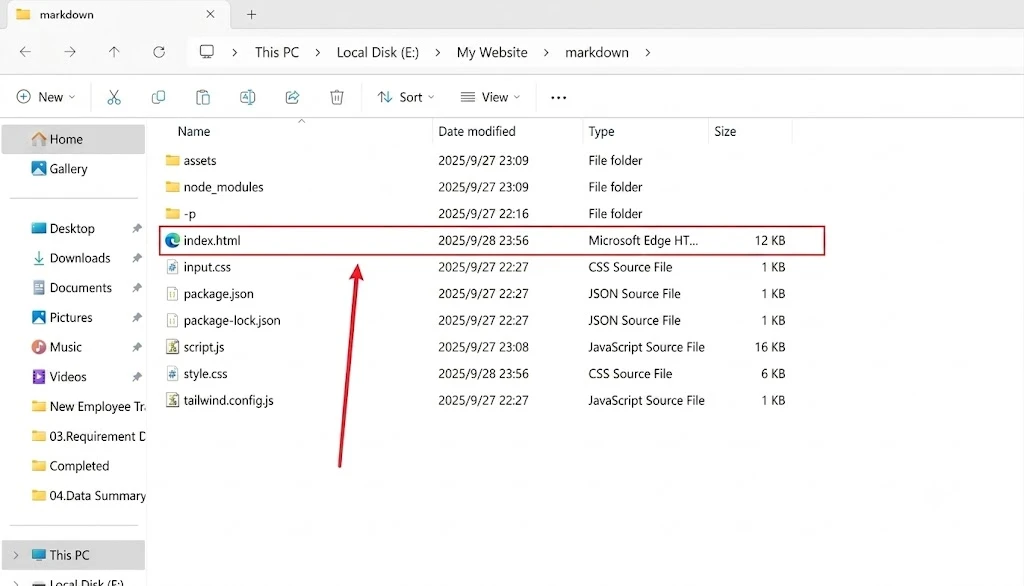
Step 2: Deploy the Website
①Open GitHub, Register and Log In
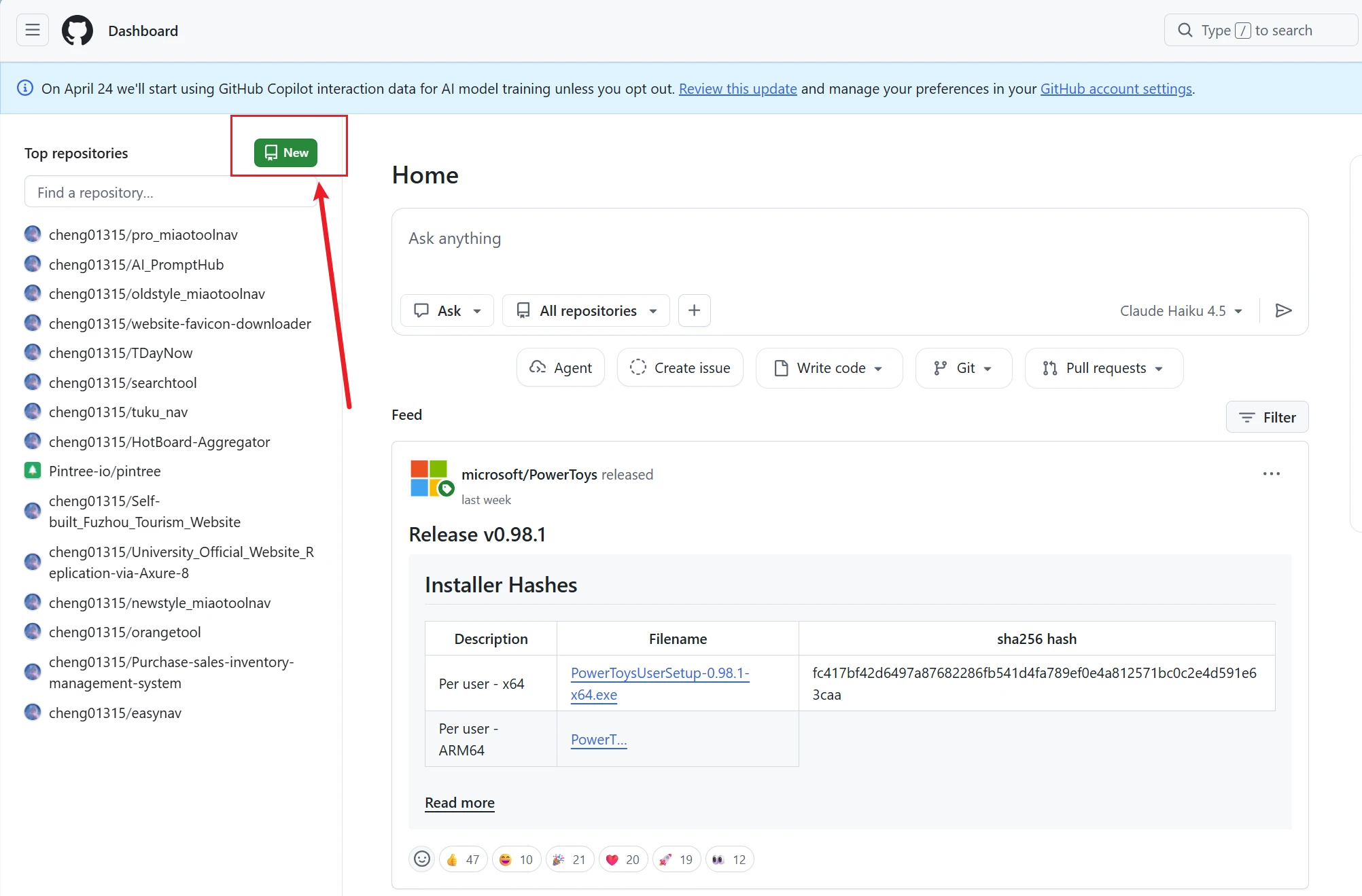
② Click “NEW" to create a new project
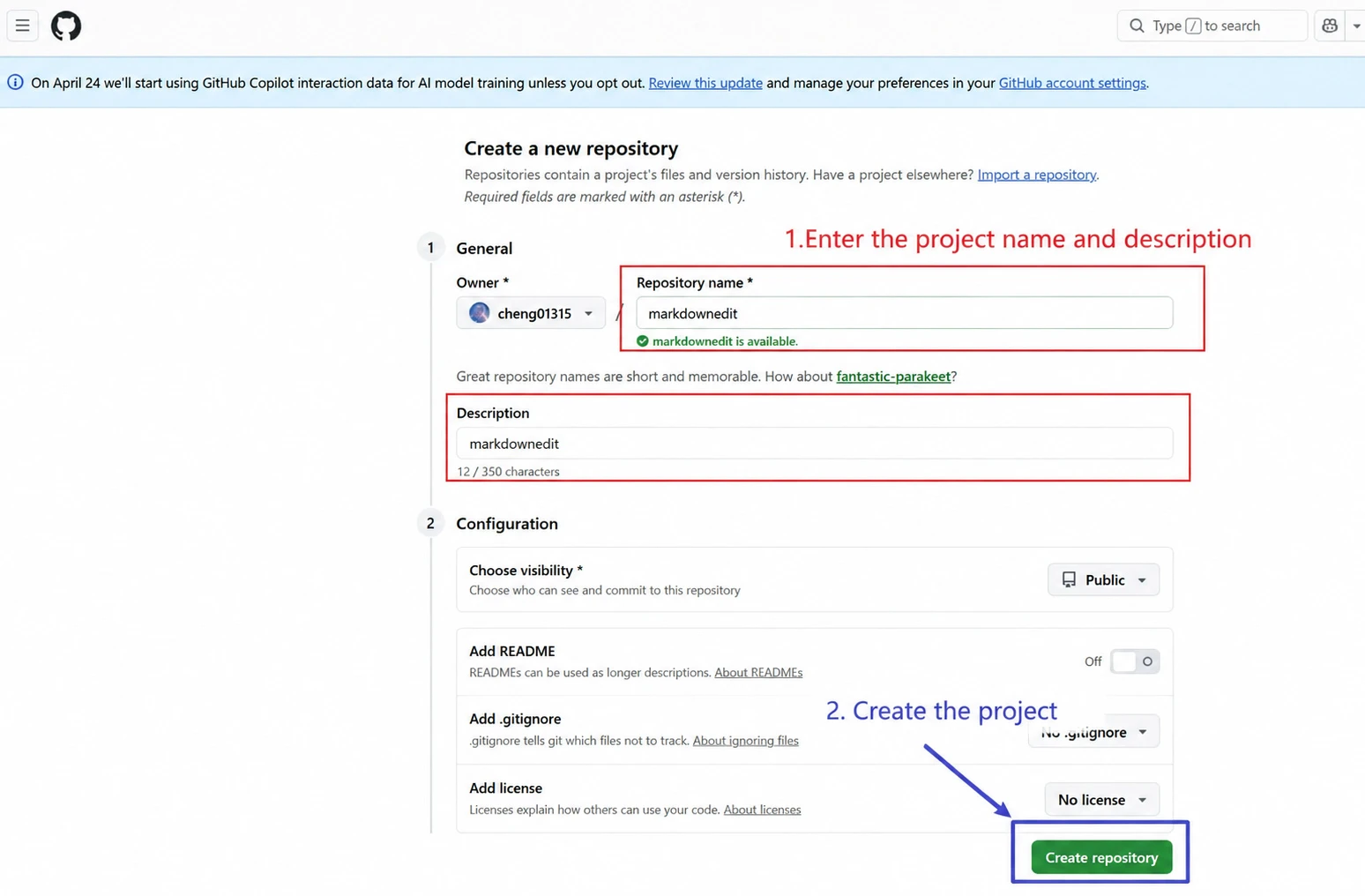
③ After entering the project name and description, click the button to create the project(Please note that your project must be public to use GitHub Pages.)
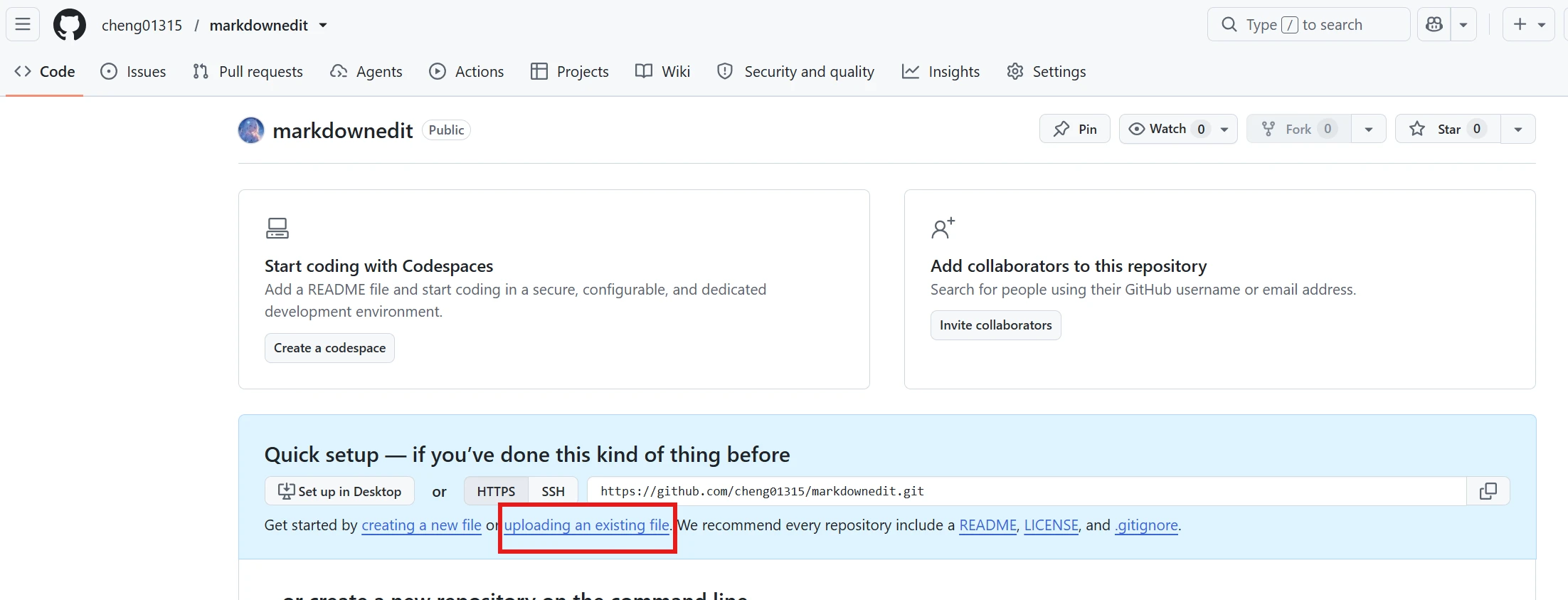
 ④ The system will automatically take you to the project page. Select Code -> Upload an Existing File.
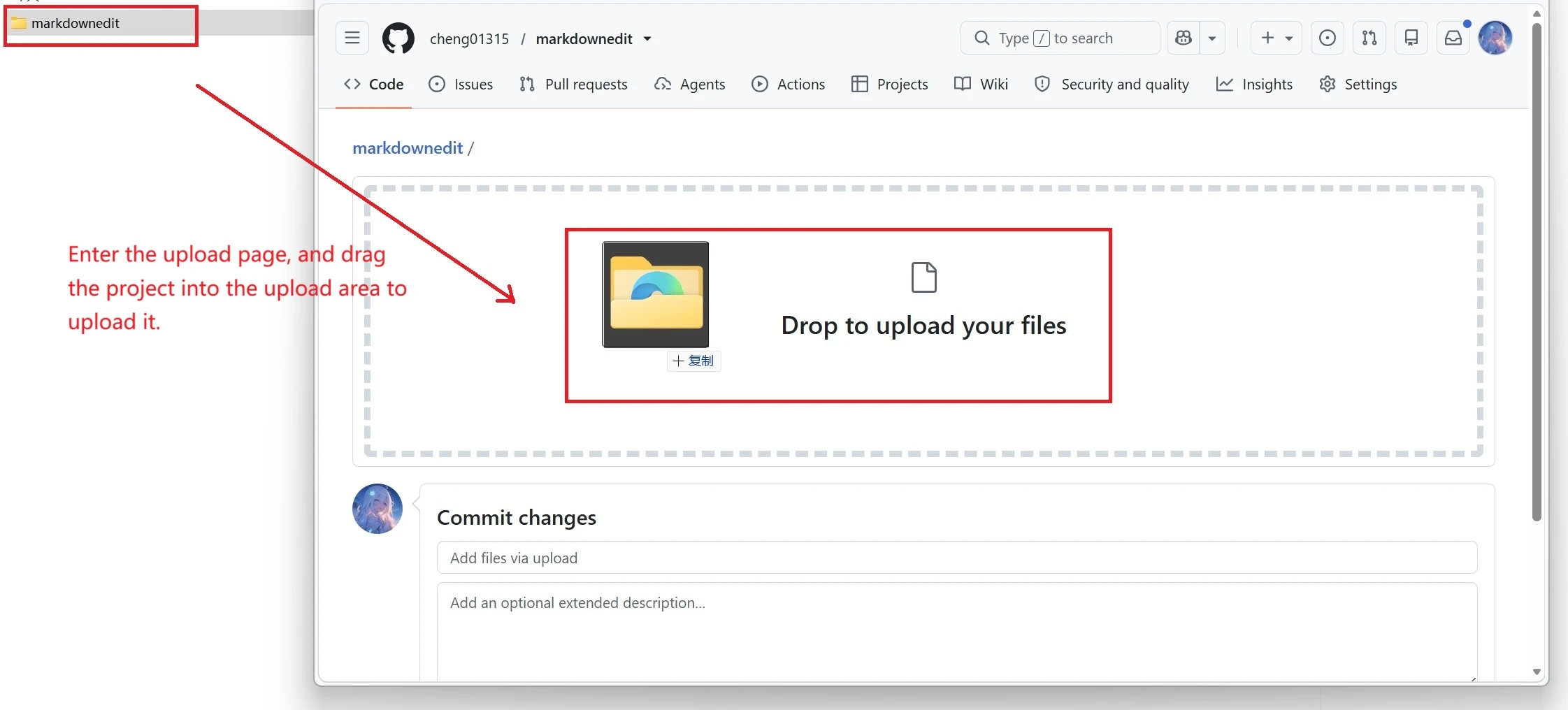
⑤ Go to the upload page, drag and drop the project into the upload area, and then click “Commit changes” Submit.
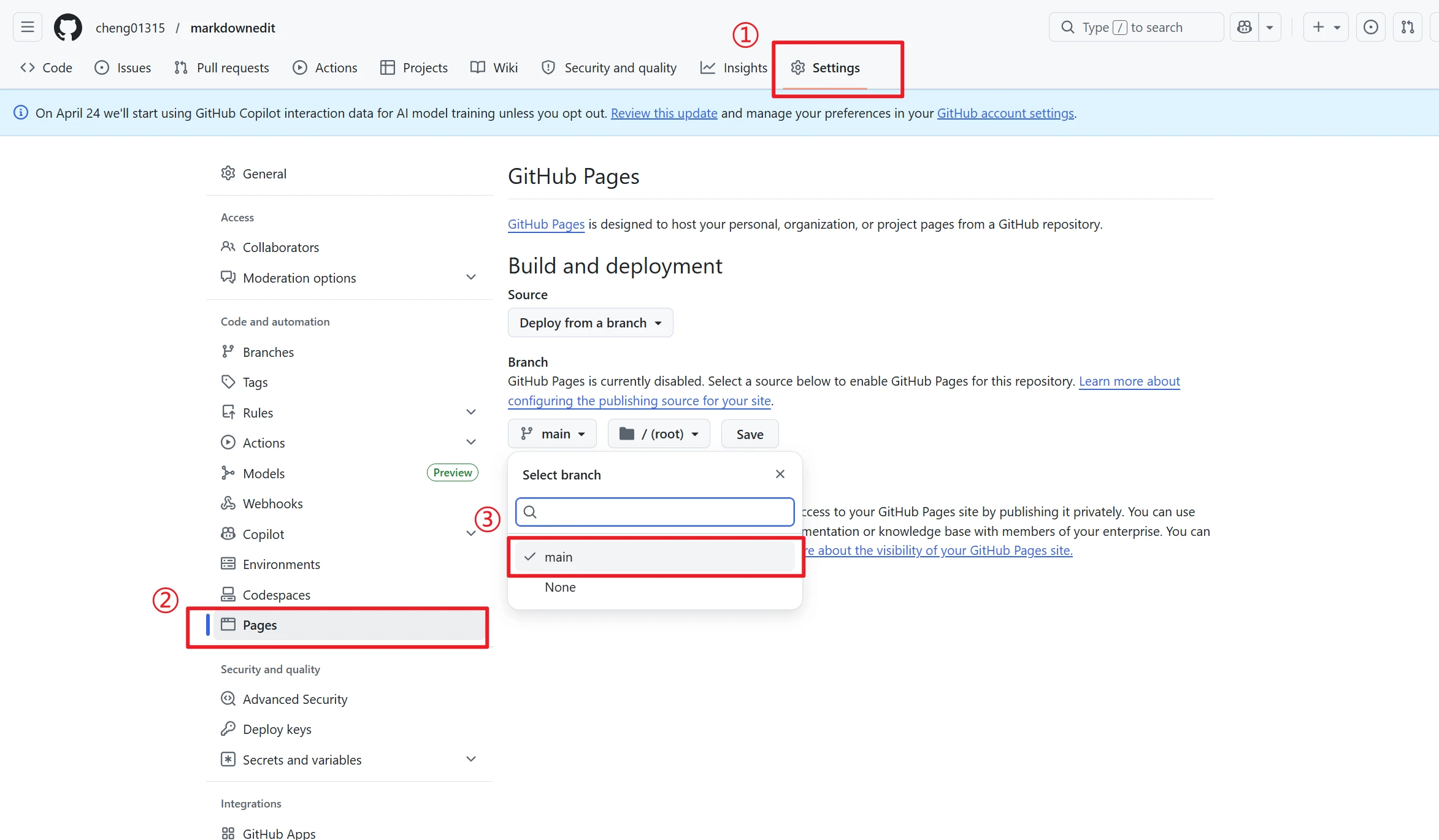
⑥ Once the upload is complete, go back to the project you just created on the GitHub website, select Settings -> Pages, and set the branch to "main."
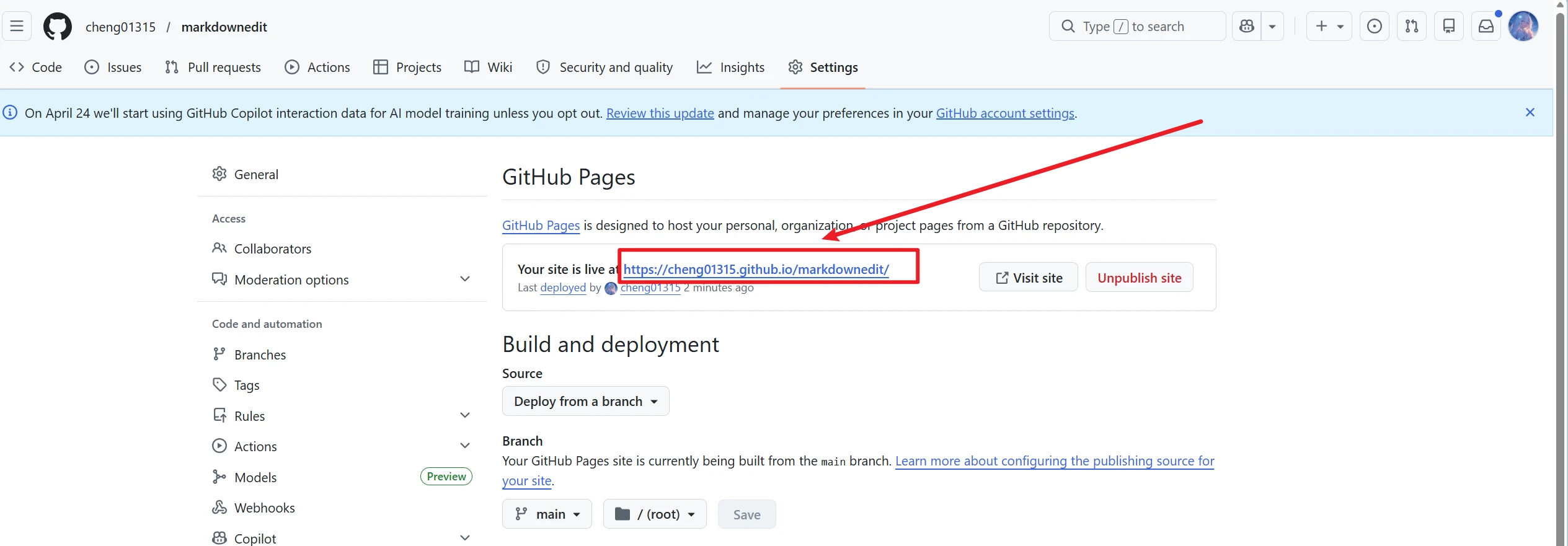
⑦ In a moment, we'll see the project URL that GitHub has assigned to us.
That’s a quick guide to deploying your website project on GitHub. I hope you find it helpful. If you don’t want to make your code public, you can refer to this site’sTutorial on Deploying a Static Website on Vercel、Tutorial on Deploying a Static Website to Netlify, to deploy your project.
Common Issues with GitHub Deployment
Can I use GitHub Pages to deploy a website from a private GitHub repository?
No,The free version of GitHub Pages only supports public repositories.. Private repositories do not support the Pages deployment feature, which is the most common reason for deployment failures among beginners. If you do not want to make your code public, you can choose free platforms such as Vercel or Netlify that support deployment from private repositories.
Why does the website display a blank page after deployment?
99% involves two key issues: ① The website's homepage file is named incorrectly; it must beindex.html(Case-sensitive; "Index.html" is invalid); ② Incorrect selection of the Pages deployment branch/root directory; you must select main branch + /(root) root directory; Also, please do not upload redundant files from `node_modules`, as this may cause the page to load incorrectly.
Can I upload the `node_modules` folder directly to a GitHub repository?
Uploading is not advised or recommended.. The `node_modules` folder contains a huge number of files and is very large, which can cause slow uploads, deployment timeouts, and a bloated repository. Since this folder isn't needed for deploying a purely static website, you can create a new one. .gitignore Configure the file to exclude `node_modules` to prevent unnecessary files from being uploaded.
After a successful GitHub Pages deployment, how long does it take for the site to become accessible?
First-Time Deployment (General) 1–5 minutesOnce it takes effect, GitHub will automatically build and deploy to CDN nodes. If the site remains inaccessible for more than 10 minutes, you can save and refresh the settings on the Pages settings page, or clear your browser cache and try accessing it in incognito mode.
Are there traffic and storage limits for websites deployed on GitHub Pages?
The free personal version of GitHub Pages has the following official, lenient limits:Storage in a single repository must not exceed 1 GB, and monthly data transfer must not exceed 100 GB....It's more than sufficient for personal portfolio sites, AI-generated static pages, and tool directory sites; you'll rarely hit any traffic limits during everyday use.
Can I use this method to deploy a random, static webpage generated by AI?
Absolutely—this is the core use case covered in this tutorial. As long as the project's root directory contains index.html Home Page FileWhether it's AI-generated standard static pages, navigation pages, or tool pages, you can upload and deploy them with a single click using GitHub Desktop, which automatically generates a publicly accessible online link.
Can I bind my own custom domain after deployment?
Sure. GitHub Pages supports free custom domain mapping and automatically configures SSL certificates to enable HTTPS access. Simply enter your custom domain in the Pages settings of your repository, point your domain’s DNS records to GitHub’s official servers, and wait for the changes to take effect.