
When creating website directory sites, compiling resources, or archiving in bulk, you’ll always run into the same issue: saving the favicons from dozens or even hundreds of websites. Manually opening each website one by one and right-clicking to save the favicon—even with just a few dozen domains—can take half an hour. This little tool was created to solve exactly that problem—just give it a list of domain names, and it will batch-download the icons and name them according to their respective domains.
Its implementation differs somewhat from typical favicon-retrieval scripts:It does not visit the target website, nor does it parse the web pages within it. <link rel="icon">Instead, the domain name is directly included in the URL of a third-party icon API to retrieve the image, and the API is tried one by one in order of priority; the first one that passes validation is saved. The advantage is that this method won’t fail even if the target site goes down, undergoes a redesign, or adds security measures; the drawback is that the icon retrieved is the one cached by the API.
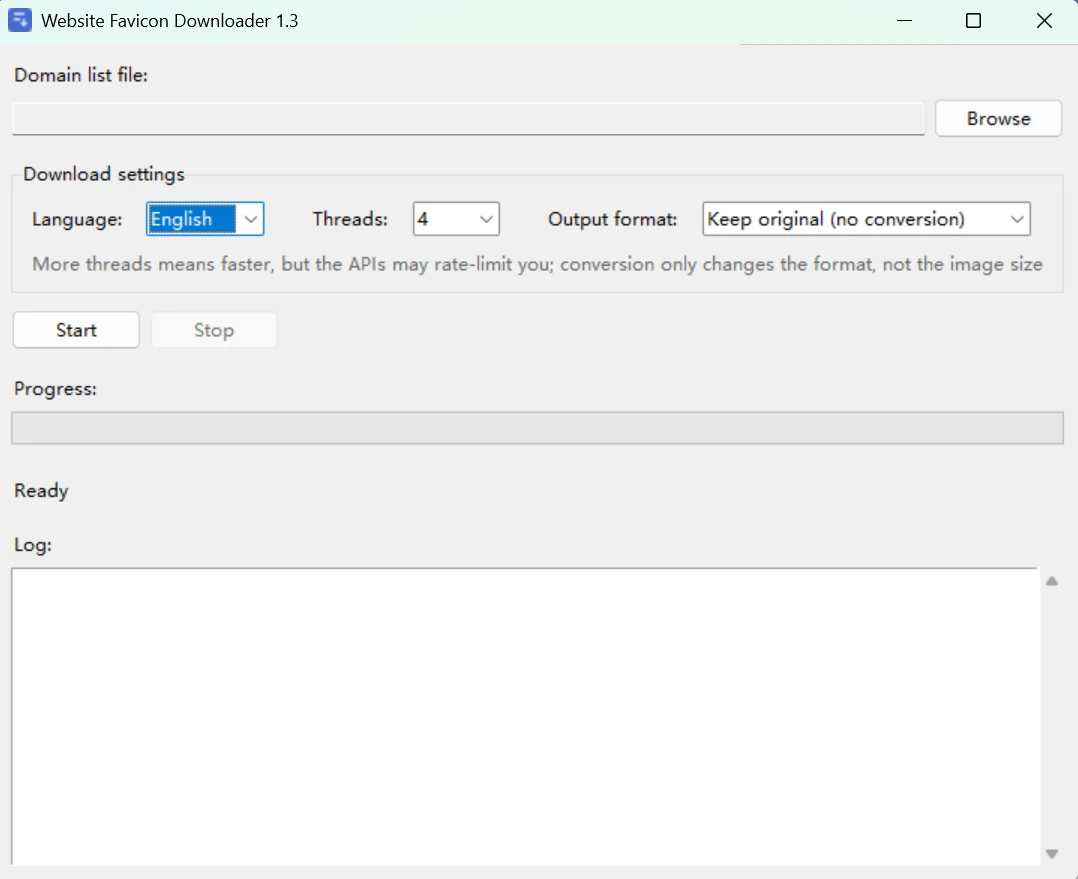
Quark Cloud Storage Download Link:https://pan.quark.cn/s/a9959c899628
GitHub Project URL:https://github.com/cheng01315/website-favicon-downloader
Directory Structure
website-favicon-downloader/
├── favicon_gui.exe               # Graphical User Interface Program (34.9 MB, packaged; double-click to run)
└── src/                          # Source Code
    ├── favicon_gui.py            # Main Interface Program: Layout, Language Switching, and Settings Memory
    ├── favicon_core.py           # Core Logic: Interface List, Download, Format Conversion, Bilingual Copy Table
    ├── favicon_gui.spec          # PyInstaller Packaging Configuration
    └── favicon_gui.ico           # Program Icons (7 sizes ranging from 16 to 256)
The repository contains only source code and .exe files. The following areRuntime Products, automatically generated on first run:
website_ico/                     #: Downloaded icons, named according to their domain names
successful_downloads.txt         # Success Log: Domain Name, Icon URL
failed_downloads.txt             # Failure Log: One domain name per line
Features and Specifications
- Multi-Interface Fallback: Includes 7 icon interfaces; if the previous one fails, it automatically moves on to the next one:
- Multithreaded Download: The number of threads is adjustable (1/2/3/4/5/6/8/10/16; default is 4). In actual testing, processing 13 domain names took approximately 20 seconds with a single thread and 7.1 seconds with 4 threads.
- Unified file formats: Four options: Keep as Is (default), Convert All to PNG, Convert All to ICO, Convert All to JPG. ConvertChange only the container format; do not alter the image dimensions—When converting to PNG/JPG, the dimensions are exactly the same as the original image; when converting to ICO, because the format itself has a maximum of 256 pixels per side, any dimensions exceeding this limit will be proportionally scaled down to 256 and centered within a transparent square canvas; small images will not be enlarged.
- Multilingual Support:The tool interface supports switching between Chinese and English.
Instructions for Use
① Prepare a list of domain names: Create a new .txt file with one domain name per line:
baidu.com
github.com
bilibili.com
https://www.zhihu.com/question/123
含 // The platform automatically extracts the domain portion, so you can simply paste the URL. However, for URLs that omit the protocol but include a path (for example, baidu.com/xxx) will not be truncated, so please avoid writing it this way.
② Double-click favicon_gui.exe: The window title will include the version number, such as "Website Icon Downloader 1.3"
③ Select a file and start:Click "Browse" to select the .txt file you just chose, then click "Start Download." The interface will update the progress bar and log in real time; the first two lines of the log will display the current version, the number of threads,The file format that is actually in useand the output directory—these are the first two lines you should check when troubleshooting.
④ Obtain the results: All icons are saved in the same directory as the exe file. website_ico/ In this directory, the filenames are "domain name + file extension." Successes and failures are logged in successful_downloads.txt 和 failed_downloads.txt。