
When using traditional search engines, we often encounter cluttered information and frequent, disruptive paid ads. The emergence of AI tools, however, can help us get more precise search results.
Recently, I’ve spent quite a bit of time trying out two AI search engines: MiTa AI Search from China and Perplexity from abroad. Both tools can help us find more precise information, but their user experiences and operational approaches are vastly different. MiTa AI Search gives me the impression of being feature-rich and versatile, allowing users to search for a wide variety of content, from academic papers to podcasts. Perplexity, on the other hand, features a clean and uncluttered interface with a more streamlined set of functions; however, it aggregates many different large language models, allowing users to select one to ask questions. Below, I’ll discuss the specific differences between these two tools based on my personal experience.
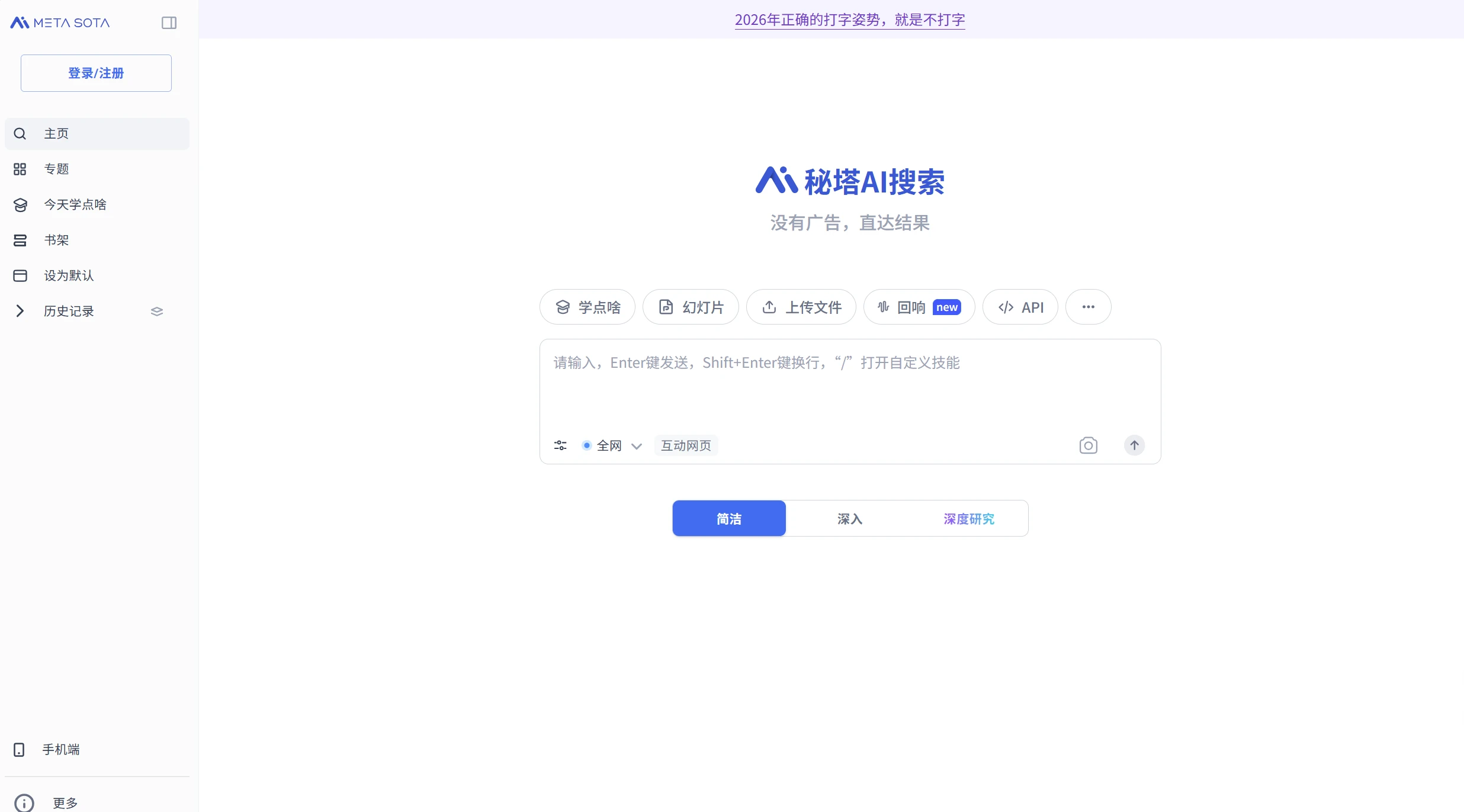
Mita AI Search—Versatile Features, Detailed Categories
Tool URL:https://metaso.cn/
Let me start with Mitta AI Search. I think what makes it most unique is its search categories. It doesn’t just have a single search bar; instead, it lets you choose from different content categories. In the left sidebar, I saw the following categories: Web, Document Library, Academic, Images, Videos, and Podcasts. The Podcasts category is particularly interesting— it doesn’t just randomly scrape podcasts from the web—it’s a knowledge base built by Mitta users, containing transcripts of many podcasts. When I search for a specific topic, I can directly see how podcasts discuss that subject, which is something other AI search engines can’t do.
- Academic Search is very powerful:Mita recently added 30 million papers to its academic classification system. When I’m writing an article, using this feature allows me to find the latest Chinese and English journals, and I can also select specific databases—choosing between Chinese and English separately—which is very beneficial for researchers.
- Take a photo, upload it, and search for:I can just take a photo and upload it, and it will recognize the objects in the image and provide me with relevant information. I've tried this feature a few times, and it works really well.
- Custom prompt:If you type a slash in the search bar, you can customize the prompt. This reminds me of Kimi from before—it lets you refine your question so the AI can search based on your specific needs.
- Upload files and links:It allows me to upload files—not just local files, but also web links or audio files. I can upload audio files, and it will listen to the audio content and provide an answer—a feature I haven’t seen in any of my other AI search engines.
Overall, Mita AI Search gives the impression of having a wide range of features, but each one is useful—they aren’t just included for the sake of adding more features.
perplexity—Simple interface, model integration
Tool URL:https://www.perplexity.ai/
Now let’s look at Perplexity. The first time I opened this tool, the page was much cleaner than Mitta’s—just a search bar with nothing else below it. These days, many software programs are packed with more and more features, but Perplexity takes the opposite approach by stripping things down. I don’t think this is a bad thing; as soon as you open it, you know exactly what you’re there to do, and you won’t be distracted by anything else.
The most distinctive feature of Perplexity isn’t how powerful it is on its own, but that it brings in large models from other providers. There’s an option in the bottom-right corner that lets you switch between models. I counted them: there’s Gemini, GPT, AI’s Claude Sonnet, and Claude Opus; there’s Grok, Kimi, and Sonar. You can choose whichever model you want to answer your questions. This is very flexible because different models excel at different things. Some are great at programming, while others are great at understanding text. I use different models depending on the question.
- Functions of the Model Committee:This is also what makes Perplexity unique. You can select multiple models at once and see all their responses to a single question. It’s like having multiple minds thinking about a single problem. We don’t need to ask them one by one—it has already compared their answers for us.
- Upload and Link Features:Mita allows you to upload files, images, and web links, and Perplexity can do the same; in this regard, they both offer the same basic functionality.
Although the Perplexity page is simple, it doesn’t leave out any of the most important elements. It focuses entirely on how to use external models, rather than on developing a host of new features.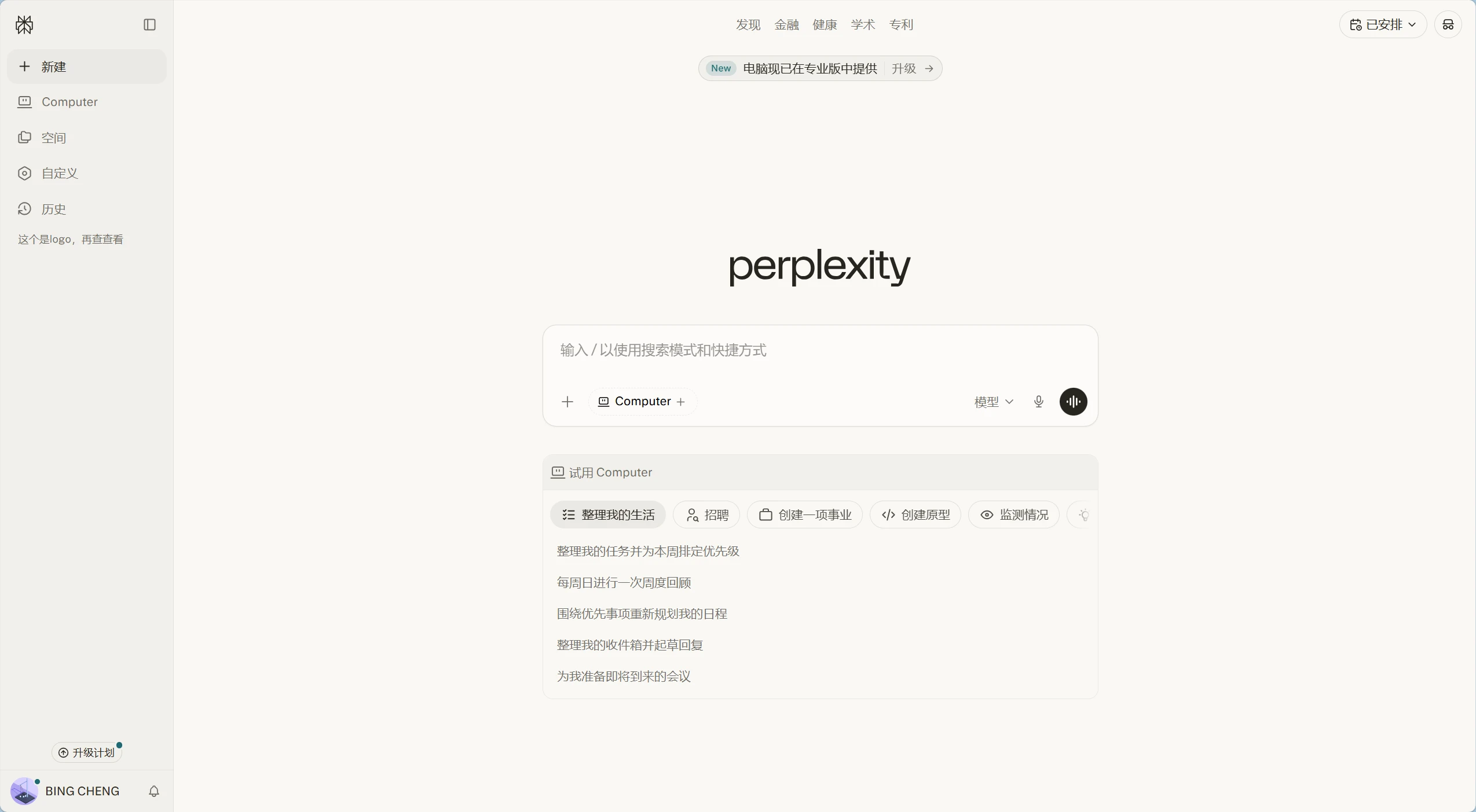
A Comparison of Search Methods Between the Two Tools
After using these two AI search engines, I found that they approach information retrieval differently. Mitta AI Search functions more like a repository aggregator; it has a wealth of resources built-in—particularly in its academic and document sections—and doesn’t rely on external models to answer questions. Instead, it first processes these materials and then provides an answer. Therefore, when you search for specialized knowledge, the sources it provides are very clear, and you can view the original text with just a click.
Perplexity, on the other hand, functions more like a model scheduler; it doesn’t store any information itself, but it knows which models are best suited to answer your questions. When you ask a question, it forwards it to those large models, then aggregates their responses and returns them to you. Therefore, the nature of its response depends on the model you choose—sometimes it excels at reasoning, and other times it excels at summarizing.
Both can help you find the content you're looking for more accurately, but they do so in different ways. Mitta relies on its own categorization and filtering, while Perplexity relies on the capabilities of different models. In my experience, Mitta is faster and more accurate when searching for information within China; however, Perplexity has the edge when searching for information from abroad.
Different Options for Output Results
Mita AI Search offers three ways to display search results. I can choose one before asking a question. The first is an interactive web page format, where answers are presented as clickable pages with cards and buttons, making it easy for me to navigate. The second is “In-Depth Mode,” which spends a significant amount of time researching the topic and provides very long, detailed answers. I use this mode when writing papers; the third is Summary Mode, which I use for simple questions—it gives me only the most essential sentence, without any unnecessary details.
When it comes to Perplexity, there aren’t that many output options. It simply displays the model’s answer directly, with a source label following each sentence that you can click to view. I think Perplexity takes simplicity to the extreme—it doesn’t even give you the option to choose the output format. But that doesn’t mean it’s not good. Sometimes, having fewer options makes things simpler.
Which one is better for you?
How I use it also depends on the situation. When I’m conducting research related to China, searching for academic literature, or listening to podcasts, I usually turn to Mitta AI Search first. It has an extensive library of documents and academic resources, and it can recognize audio files—which is very useful to me. For example, sometimes I record meetings and send the recordings directly to it, and it can extract the key information.
If I’m looking for international news, technical documentation, or want to compare how different large language models respond to the same question, I use Perplexity. It features the best models currently available, and through the Model Committee feature, I can get multiple responses at once to compare. This comparison process also helps me gain a better understanding of the issue.
Mita’s AI search feature is more powerful, and Perplexity is faster. Neither is a perfect tool, but both are heading in the right direction, and I don’t think one can replace the other. I keep both on my phone and decide which one to use based on the situation.